

The iPhone remains one of the most influential devices in American daily life. It is the primary camera, entertainment hub, navigation guide, communication tool, and even a personal assistant. Yet even with millions of users in the United States, there are countless features that remain hidden in plain sight. Many of these tools can improve productivity, strengthen privacy, save battery life, or simply make everyday tasks easier.
This guide uncovers the features most iPhone owners have never used. All of them are practical. All of them are beginner friendly. And all of them can help you get more value from your device without spending a single dollar.
1. The Hidden Back Tap Feature That Changes Everything
Back Tap is one of the most underrated iPhone features for users in the United States. Introduced quietly in recent versions of iOS, it enables you to perform actions by double tapping or triple tapping the back of the phone.
You can set it to open the camera, mute your phone, launch an app, trigger a shortcut, turn on the flashlight, or even take a screenshot. US users who commute or multitask will love this trick because it eliminates the need to dig through the screen while your hands are full.
To enable it, open Settings, visit Accessibility, go to Touch, and look for Back Tap. Choose the action for double tap or triple tap. Once set, your iPhone becomes instantly more convenient.
2. Silence Unknown Callers to Block Spam Without Apps
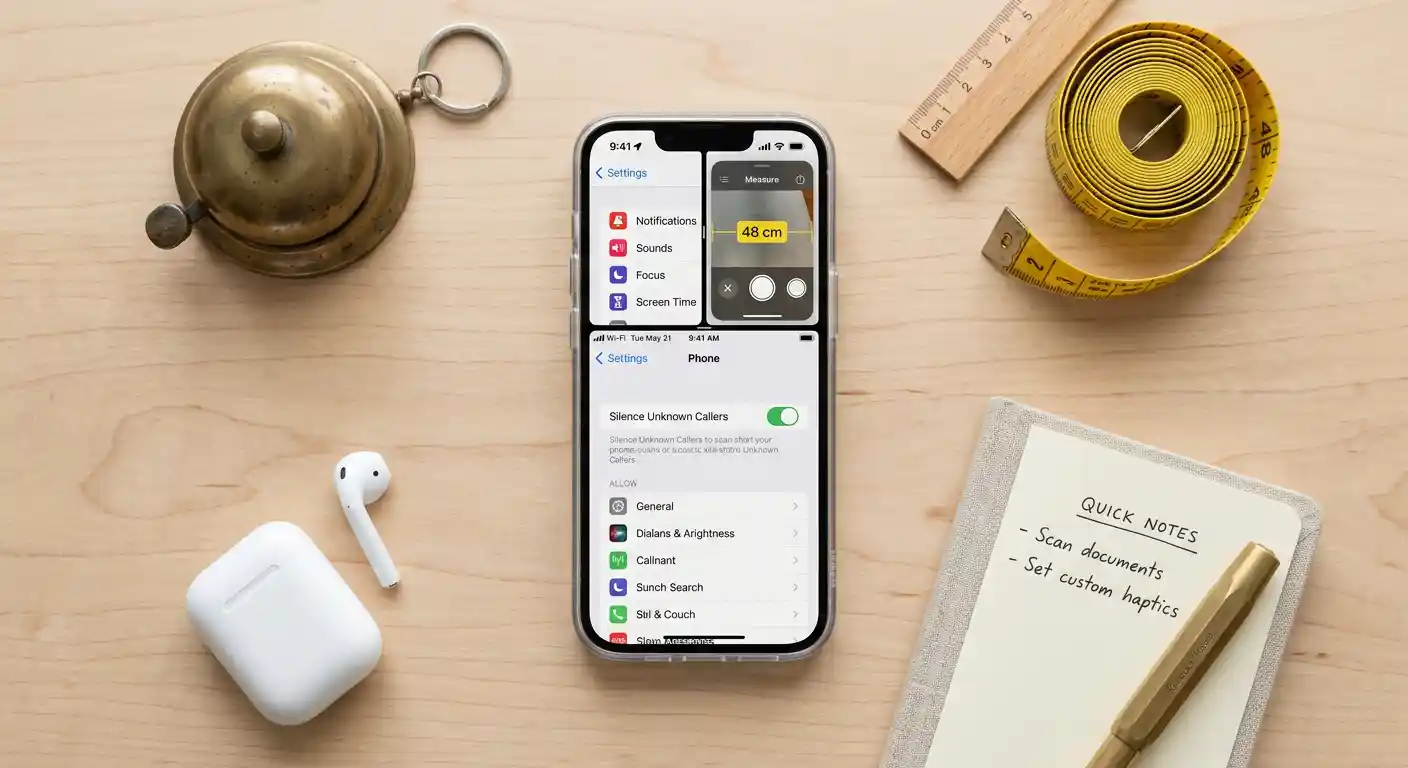
Spam calls are a major frustration in the United States. Many Americans receive multiple spam calls per day, and although carriers offer protection tools, they do not always stop the problem. Your iPhone includes a built in feature that silences unknown numbers automatically.
The call still appears in your recent list, but your phone stays quiet. This setting is helpful for people who work from home or want to avoid interruptions during meetings.
Open Settings, go to Phone, and enable Silence Unknown Callers. This is one of the most effective ways to cut out noise and protect your day from distractions.
3. A Secret Way To Charge Faster Without Buying Anything
Many iPhone users believe fast charging requires new cables or chargers, but there is a simple trick that improves charging speed that almost no one talks about.
Turn on Airplane Mode before plugging in your device.
This reduces background activity, limits network requests, and shortens the time required to reach a full charge.
Another method is to stop charging through cluttered power strips. Many American households use outlet extenders that slow down power delivery. Plug the charger directly into a wall outlet for the best results.
Together, these small changes can speed up charging noticeably.
4. Use Optimized Battery Charging To Improve Battery Health
Battery replacement costs in the United States are higher than in many other countries. Protecting battery health is essential if you want your device to last several years.
iPhones include a preset called Optimized Battery Charging. It uses machine learning to understand your daily routine and prevents the battery from staying at a full charge for long periods. Since staying at full charge stresses lithium batteries, this feature can help you keep the battery healthy far longer.
Open Settings, choose Battery, select Battery Health and Charging, and make sure the option for optimized charging is active.
5. The Broadcast Feature for Finding a Lost Phone Indoors
Most Americans lose their iPhone at home at least once. It slips into the couch, tumbles behind a table, or hides under a pillow. Many people rely on Find My, but there is a better trick.
Ask the assistant to play a sound at full volume.
You can use any connected Apple device or even a smart speaker.
Say the phrase, and your iPhone plays a sound even if the volume is set low. It ignores silent mode. This feature saves time and frustration when hunting for your phone before leaving for work or running errands.
6. Automatically Close Safari Tabs to Keep Your Phone Fast
One of the quietest sources of slowdown on an iPhone is an enormous stack of open Safari tabs. Many users in the United States never close them, which leads to clutter and unnecessary performance strain.
iPhones allow automatic tab cleanup. Choose to close them daily, weekly, or monthly.
To activate this, open Settings, scroll to Safari, and find the option to close tabs automatically.
This small adjustment keeps your phone organized and improves browsing performance over time.
7. Take Advantage of the Hidden Document Scanner
People often download third party apps for scanning documents, but the iPhone already includes a powerful scanner inside the Notes app. Many US users miss it entirely.
Open Notes, create a new note, tap the camera icon, and select the option to scan documents. The camera detects edges, flattens the image, enhances readability, and stores the file as a ready to use PDF.
Students, small business owners, and anyone managing paperwork will appreciate the convenience.
The scanner works even in low light conditions, and you can save the file to cloud storage or send it instantly by message or email.
8. Custom Vibration Patterns for Important Contacts
If you want to identify calls without looking at your device, iPhones let you create custom vibration patterns for individual contacts.
This feature is especially useful for professionals in the United States who need to know when specific clients, managers, or family members call. Many people use customized ringtones, but custom vibration is far more discreet.
Open Contacts, select the person, choose Edit, open the section for vibrations, and create a new pattern. Tap the screen rhythmically to design your own alert.
Now you will know who is calling even when the phone is in your pocket and the sound is muted.
9. The Built In Measurement Tool Most Americans Forget Exists
There is a measurement tool included with every iPhone that uses augmented reality to measure objects in the real world. You can check the height of furniture, measure walls, and estimate space for decorations. This is extremely useful during home improvement or while shopping in stores.
Open the Measure app and point the camera at an object. The phone calculates the length, width, or height with impressive accuracy.
Many users in the United States buy separate tape measure gadgets, unaware that their iPhone already offers a digital solution.
10. Quick Notes for Instant Ideas and Reminders
iPad users often celebrate the Quick Notes feature, but it is available on the iPhone as well. It lets you take notes instantly without rummaging through multiple menus.
Swipe upward from the bottom corner of the screen and a note pops open.
This is helpful for shopping lists, reminders, brainstorming, or jotting down information while watching a video or scrolling through social media.
Since time is valuable in American life, saving seconds during tasks adds up quickly. Quick Notes helps you capture ideas before they disappear.
11. Stop Apps From Tracking You Across The Internet
Privacy is a major concern for many US users. Your iPhone offers a powerful setting that stops apps from tracking you across other apps and websites.
Open Settings, tap Privacy and Security, then Tracking. Switch off the option that allows apps to ask for tracking permission. This prevents most apps from gathering behavior data.
This setting protects you from targeted ads and limits how much information companies collect about your browsing habits.
12. Boost Signal Strength With a Simple Refresh Trick
Network congestion is common in urban areas of the United States. If your signal drops to a weak level, do a quick network refresh.
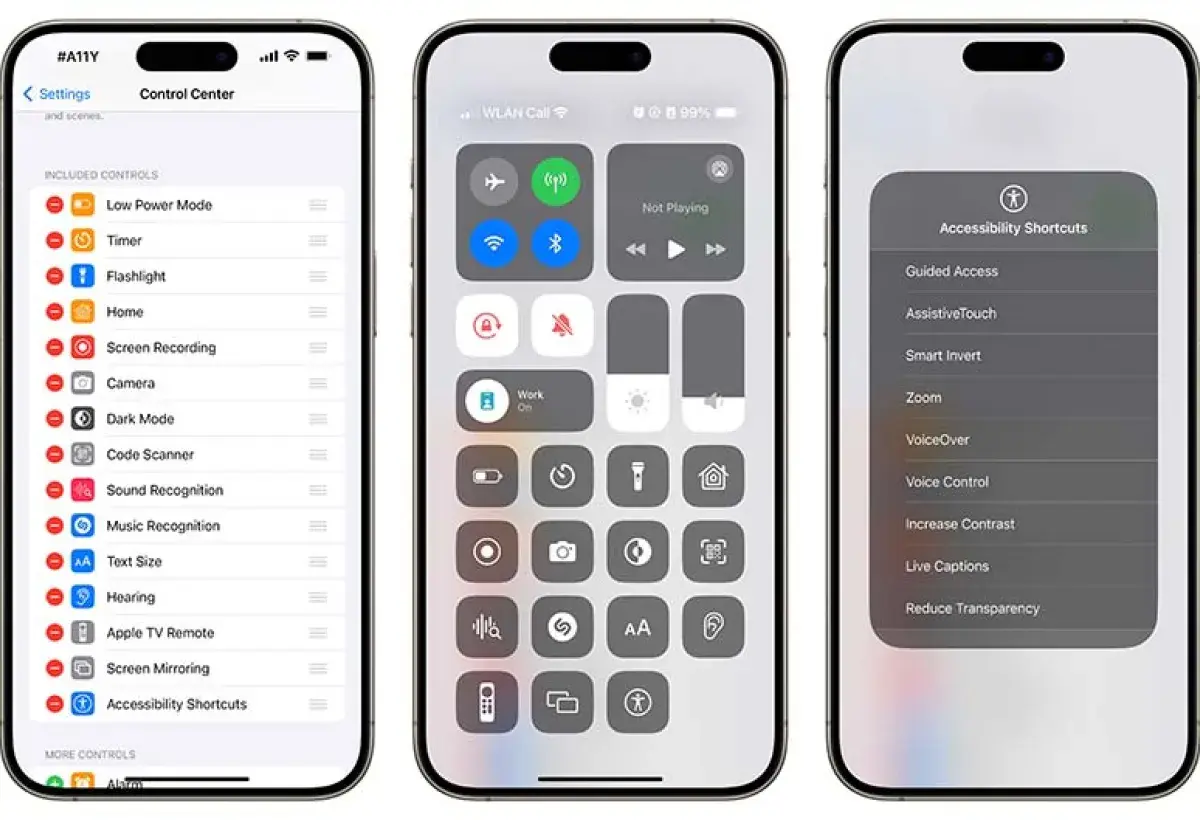
Open the control center and turn Airplane Mode on. Wait a few seconds, then turn it off again.
Your iPhone reconnects to the nearest tower and often secures a stronger signal.
This technique is perfect when traveling, attending events, or navigating crowded spaces.
13. Use Guided Access To Focus and Reduce Distraction
Guided Access limits your phone to a single app. Many American students and remote workers use this to improve focus.
Once activated, the iPhone will stay inside the chosen app until you exit the mode with a passcode. Use it for studying, reading, watching lectures, or managing tasks without temptation from social media or games.
Find it under Accessibility in the Settings menu. Enable it, choose your passcode, and activate it when needed.
14. A Trick That Makes Text Selection Much Easier
If you have ever struggled to highlight text on your iPhone, there is a hidden shortcut that saves time. Hold the space bar and the keyboard turns into a trackpad. You can now move the cursor precisely without tapping the screen repeatedly.
This is especially useful for business emails, school assignments, and editing long messages. Once you try it, you will wonder how you lived without it.
15. Use Personalized Focus Modes for Daily Routines
The United States has a fast paced lifestyle, and many people juggle work, family, hobbies, and social events. Focus modes help filter notifications based on your activity.
Create modes for work, home, fitness sessions, driving, travel, or sleep. You can customize which apps can notify you and which must wait.
This keeps your day structured and helps you avoid digital overload.
Open Settings, tap Focus, and build a personalized setup that matches your lifestyle.
16. Hidden Ways To Free Up Space Without Losing Anything
Storage fills up quickly, especially with high resolution photos and videos. Instead of deleting files, consider these lesser known options.
First, enable the setting that optimizes your photo library. The iPhone stores smaller versions of photos locally and moves full size versions to cloud storage.
Second, clear old messages automatically. Many Americans keep years of messages that occupy gigabytes of space.
Third, check the Offload Unused Apps feature. It removes apps you rarely open but keeps your data intact. When you reinstall, everything returns instantly.
17. Audio Recognition for Real World Sound Alerts
This feature helps detect doorbells, alarms, or crying sounds. It sends a notification when the phone hears these sounds. It was originally designed for accessibility, but many users in the United States activate it for home monitoring or safety.
Open Settings, find Accessibility, tap Sound Recognition, and choose the sounds you want the phone to identify.
18. Hidden Camera Level Tool for Perfect Shots
US photographers and content creators often struggle to align shots. The iPhone includes a hidden level inside the Camera app. Turn on the option for grid inside the camera settings. When you tilt the phone, a level appears to help you keep the horizon straight.
This simple tool improves photo quality immediately.
Image
iPhones in the United States come packed with helpful features many people never explore. These tools enhance productivity, improve privacy, increase convenience, and make the device more efficient in everyday life. By using even a handful of these hidden capabilities, you can experience your iPhone in a completely new way.
If you want to get the most out of your device, revisit your settings occasionally and test new features as they arrive with updates. Your iPhone can be far more powerful, organized, and protective than you expect.